MagReel. Short videos made and posted for you.
MagReel finds what to make, writes it, reads it out in a free voice, finds the footage, builds an upright video with word-by-word captions, and posts it. Everything runs on your own PC, with no watermark.
Windows installer, 106 MB, released 2026-11-18. Check for updates is built in.
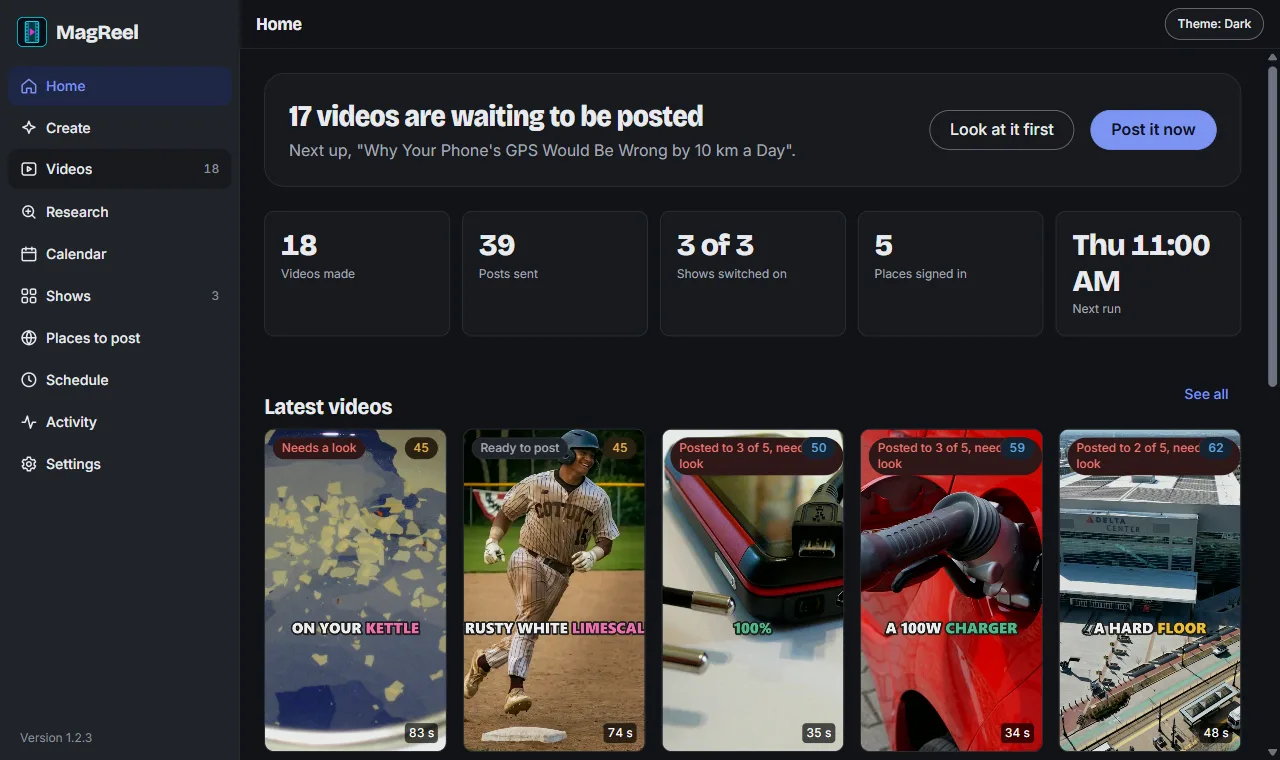
From an empty day to a posted video
Turn on a show and MagReel runs by itself every day at the time you pick. Or press Create and give it your own topic.
Scouts find the idea
Scout agents read trends, Reddit and the web for your subject, check what already wins, and never repeat a title.
A writer writes it
A short script with a hook in the first 3 seconds, one idea a line, and post text for each site. Weak scripts are rewritten before they go on.
A free voice reads it
20 natural voices to pick from, at your speed. No voice account, no cost.
Footage is found
Free pictures from Wikimedia Commons and Openverse with credits kept, or Pexels video with your own free key.
The video is built
Upright 1080 by 1920 with captions two or three words at a time, the spoken word lit up. Square and wide too. Each video gets a watch-through score.
It posts itself
Through MagPost, MagReel's shared uploader, using your own signed-in accounts. View counts come back in so the scouts learn what works.
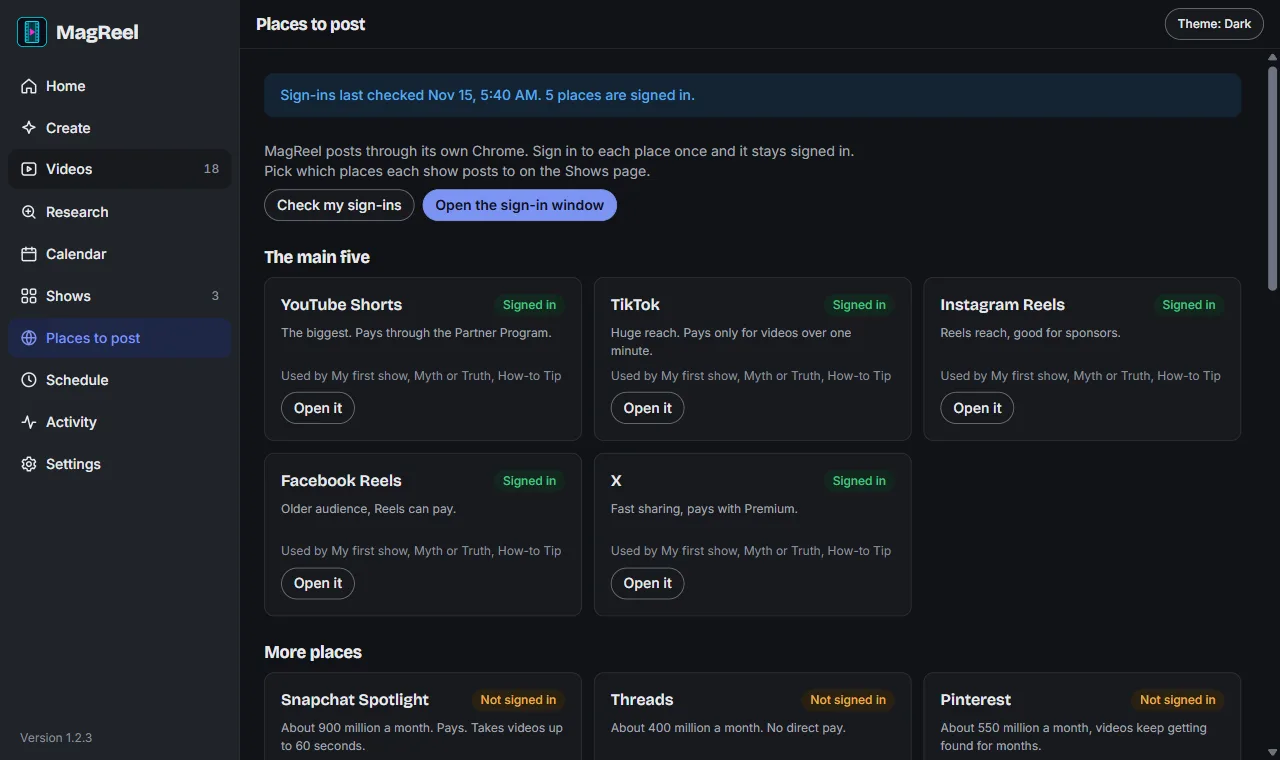
Posts to the big five, and more
- YouTube Shorts
- TikTok
- Instagram Reels
- Facebook Reels
- X
Proven on all five. Sign in once in MagReel's own Chrome window and it stays signed in. No developer apps to apply for and no API keys.
- Snapchat Spotlight
- Threads
- Rumble
- Bluesky
- Dailymotion
- Tumblr
- VK
- Odysee
- Mastodon
- Vimeo
13 more places are built in and switch on once you sign in to them. They are newer and still being proven, so expect the odd fix through Check for updates.
Run several channels at once
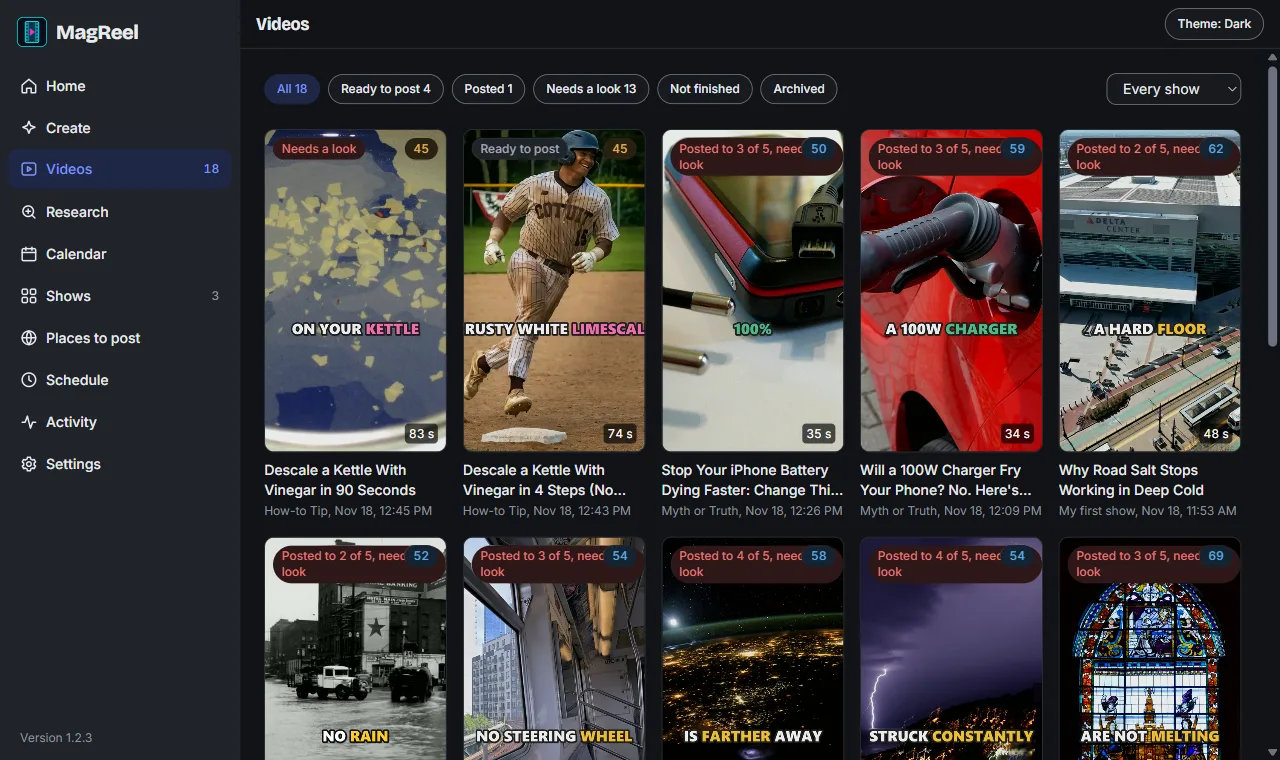
- Shows. Each has its own subject, kind of video (12 kinds), length from 20 to 90 seconds, voice, caption look and places to post.
- Research. Finds short videos already winning in your subject and turns their openings into lessons for the writer.
- Calendar and schedule. See what was made and what is planned. Run several times a day on the days you choose.
- Carousels. Swipe posts of slides for Instagram, Facebook and X, for shows set that way.
- Your own topic. Type a topic with notes, or pick from the shelf of ideas the scouts saved.
- Keeps going. A failed video is replaced, so a run still reaches the number you asked for.
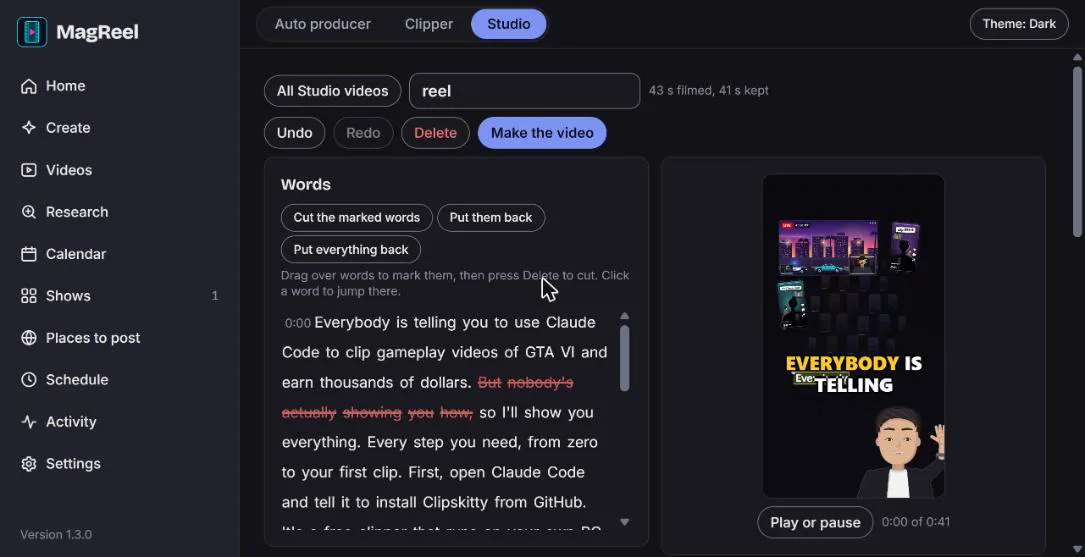
Studio. Cut your video by deleting words New in 1.3.0
Bring in your own video. MagReel writes down every word, on your PC. Mark the words you don't want and press Delete.
- Edit text, not a timeline. Cuts follow the words, and the preview skips them as you watch.
- Live captions in your show's look, word by word.
- Upright, square or wide, with the picture filled or fitted over a blurred copy of itself.
- Versions, and 60 steps of undo and redo. Put back one cut or everything.
- Make the video renders the finished file, ready to post.
The speech model downloads once on first use and then works offline.
The Clipper. A long stream into short clips Coming soon
Not in the download yet. It will come as an update through Check for updates. What it is being built to do.
- Paste a link to a long video or a past stream.
- Finds the best moments from loudness, how fast chat moves, and what is said, with game packs that know what a big moment looks like.
- Makes upright clips with the facecam on top, the game below, and word-by-word captions.
- You review first. Tick the clips you like and post them, credited to the streamer. Hands-free posting stays off unless you switch it on.
- Live watch. Keeps an eye on streams and saves a clip when chat spikes.
How it compares
Other good tools turn long videos into clips. MagReel is the one that also makes videos from nothing and posts them for you.
| What | MagReel | OpenShorts | AutoClip | Opus Clip |
|---|---|---|---|---|
| Price | Free. The writer agents use your own Claude plan | Free and open source when you host it yourself, bring your own AI key | Free and open source, the AI model it calls may bill you | Free plan with limits, paid plans above it |
| Watermark | None | None when self-hosted | None | Yes on the free plan |
| Where it runs | On your Windows PC | Your own server or PC, with Docker | Your own PC | In their cloud, works on a phone |
| Makes videos from nothing | Yes. Idea, script, voice, footage, captions | No, it cuts videos you have | No, it cuts videos you have | No, it cuts videos you have |
| Long video into clips | Coming soon with the Clipper. Studio cuts by words today | Yes | Yes, from a link | Yes |
| Posts for you | Yes, by itself, to the big five and more | With a paid add-on posting service key | Check their site | Scheduling on paid plans, check their site |
Other tools as described on their own pages and in reviews, looked up on 18 November 2026. They change often, so check each one's own site before you rely on it.
What you need
- A Windows PC
- MagReel opens in its own window, dark by default, with a Light, Dark and System switch.
- Google Chrome
- MagReel's window and its posting run in Chrome, with MagReel's own separate profile.
- ffmpeg
- Free. It builds every video. Install it once and make sure the
ffmpegcommand works. - The claude command
- Claude Code, signed in to your Claude plan. The scouts and the writer run through it, so there are no API keys. Studio does not need it.
- Optional
- A free Pexels key for moving stock footage instead of pictures.
If ffmpeg or the claude command is missing, MagReel's Home screen says so with the exact fix and a Check again button.
Straight talk
- Only clip streamers who allow it. Many creators welcome clippers and some pay them. Others don't. Check first and credit them on every clip.
- No earnings promised. Short-video ad pay is small, often cents per thousand views. Most money comes later from sponsors and affiliate links, if at all.
- Posting drives each site's own page in your Chrome. When a site changes its page, a step can break until an update fixes it. TikTok and Instagram don't love automated uploads, so watch your accounts.
- Use footage you are allowed to use. MagReel only picks free-licence footage and keeps the credits.
Questions
Is it really free?
Yes. MagReel costs nothing and adds no watermark. The scouts and the writer run through the claude command on the Claude plan you already have, and the voice, footage and video building are free tools on your PC.
Does it post without me?
Yes, if posting is on. Each show posts as soon as its video is made. Turn posting off and videos wait as Ready to post, so you can look first.
Can I use my own videos?
Yes, in Studio. Bring a video in, cut it by deleting words, add captions and make the finished file.
When does the Clipper come?
It is being built now. It arrives as an update, and MagReel's Check for updates button brings it in.
How do I know the download is real?
The update file latest.json lists the newest version with its exact size and SHA-256. Check the installer against it before you run it.
Get MagReel
Free for Windows. Updates itself when you press Check for updates.
SHA-256 6d7b23314ab8ca339c28dd5e848dca3175c1cbf084aba5f51cfd29c16d55fb21